





 Sign in
 Blog
Blog
 Gift Certificates
 Contact Us
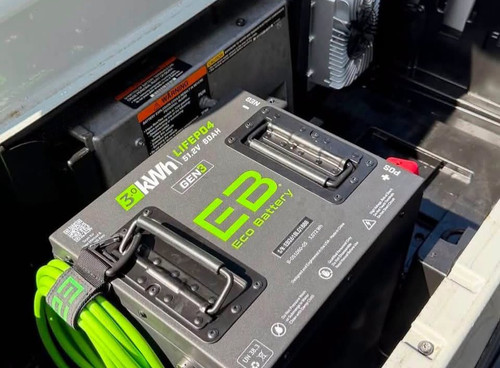
Club Car Precedent Lithium Conversion Guide (2008.5 and Newer)
Posted by Alex Sturwold on Oct 19, 2026
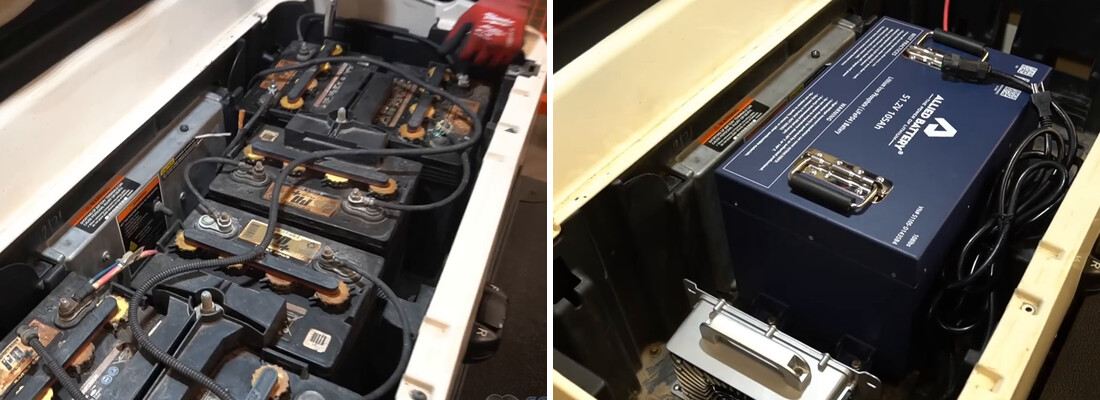
How to Convert Your Club Car Precedent to Lithium
The Club Car Precedent is one of the most popular golf carts to convert to lithium out there. Some of that has to do with the fact that Club Car built these carts from 2004 all the way until 2018 (and built ALL of them with traditional lead-acid batteries or gas power). In addition, a huge number of Precedent carts started life out on a golf course, put in work years at a country club, and then got sold off cheap to somebody who wanted a cart for the neighborhood. So the aftermarket for Precedent parts is HUGE to support all these owners. And we talk to those owners every single week. The carts are great! Aluminum frames and strong suspension components. But over time, the batteries (and the tires) are what quit.
And when your lead-acid batteries are on the way out, you can feel. You charge overnight only to get ten good minutes of driving before your cart starts power-sagging and struggling up every mild hill between you and your driveway. That’s your batteries telling you they're done. Not to mention, the decline happens slowly - giving you less range and performance for months leading up to your batteries quitting. You can buy another set of lead-acid and do the whole dance again in about six years... or you can put lithium in now and stop thinking about batteries for good.
This guide walks you through our 48-volt lithium conversion on a Club Car Precedent (2008.5 and newer). Most 2008.5+ carts have 6 x 8-volt batteries under the seat (48V). We broke our conversion into 15 steps, and there is nothing in here you need a lift or a shop for. A socket set, a free afternoon or morning, and a friend for the heavy lifting part will get it done.
One thing before we start. The video and most of the step photos below come from our own shop conversion that we did on our Club Car Tempo. The Tempo is built on Precedent bones and the job is the same job, but a few things sit in different places and we call them out as we go with notes under photos. Our Tempo conversion video (below) will still be extremely helpful for you to watch.
Most steps below line up with a chapter in that video, so if you’d rather watch a step than read it, just click the timestamp under that step.
First: Which Club Car Precedent Do You Actually Have?
This is the reason people order the wrong kit. Club Car changed the Precedent’s battery layout partway through production, so before you buy anything: lift your cart’s seat and count your batteries.
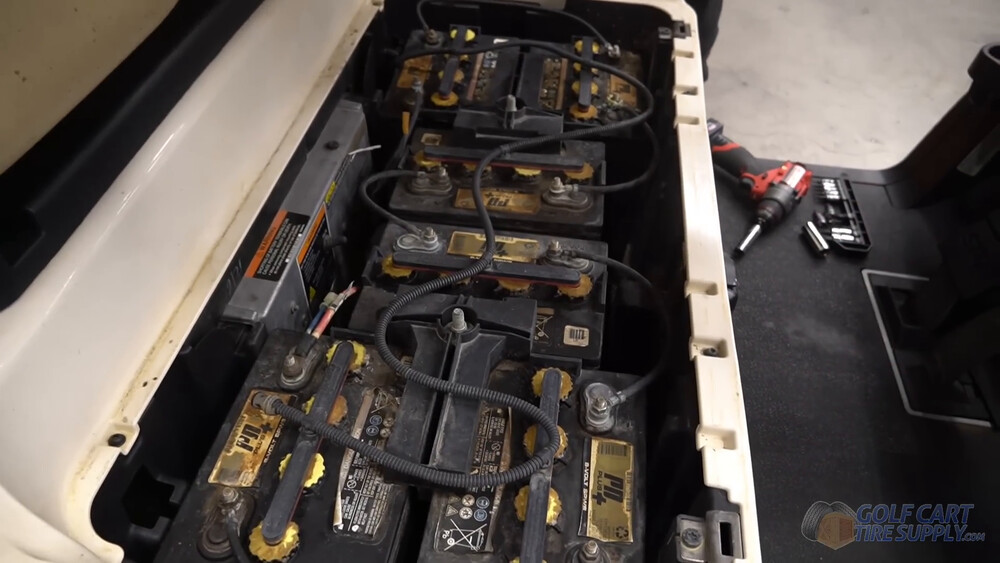
If your Precedent is 2008.5 and newer, you will most likely see 6 x 8-volt batteries sitting in a molded battery bucket with dividers between them, with threaded rods with nuts for your hold-downs.
See 6 x 8-volt batteries? You’re in the right place, this guide is for you. That’s the layout Club Car moved to with the redesigned battery bucket, and it became the standard setup on the Precedent.
See 4 x 12-volt batteries instead (with a large divider in the center)? Those are the earlier Precedents, and a few carts built in the overlap years came out of the factory that way too. Club Car’s own 2009 to 2011 owner’s manual documents both layouts side by side, with different hold-down torque specs for each, so don’t assume your year tells you the answer. Precedent-specific video coming soon.
Not sure what year your cart is? Our Club Car serial number lookup walks you through it.
There’s one more thing to check before you order, and it matters more then the year does. Keep reading.
Why Precedent Owners Are Going Lithium
We sell both. Lead-acid still has its place, but here’s what actually changes when you convert your Precedent to modern battery tech:
- Your cart drops 250 pounds. Six 8-volt lead-acid batteries x 63 pounds each (on Trojan’s own T-875 spec sheet) means your Precedent is hauling roughly 400 pounds of lead around right now. Your lithium kit will clock in around 110lbs. Your springs, your motor and your brakes all notice.
- No more watering. No corrosion crust on your terminals, no watering (topping off) cells. Lithium batteries are sealed and maintained by their own brain (BMS).
- Full power right to the end. Lead-acid power fades the whole time you drive. Lithium works like your cell phone: still giving you full power even when you have 5% charge left.
- Charging is quick. From our own ALLIED install, you’re at 80% charge in about 2 to 3 hours with the rest not taking much longer. Lead-acid needs the charger overnight (about 6 hours just to reach 80%).
- They live 10 years (or more). Lithium, when taken care of will last you 10 years and most warranties are this long too. Fresh lead-acid is 6 years life (neglect them and it’s more like 2-3 years).
Yes, lithium costs more up front. We are not going to pretend it doesn't. If you want the real math on that, our breakdown of what it costs to convert a golf cart to lithium runs the numbers with a 48-volt Precedent as the worked example.
The Part Nobody Warns You About: Your Precedent’s On-Board Computer
Here is the difference between a Precedent conversion and just about every other cart we write about. A lot of these carts have an on-board computer (OBC) under the seat, and it will absolutely stop your lithium conversion cold if you ignore it.
What does it do? Per Club Car’s own PowerDrive charger documentation, the OBC keeps track of how much energy your cart used while you were driving, then tells the charger exactly how much to put back in. That’s why the factory charge plug has three pins instead of two. Two of them are your positive and negative, and the third one is the sensing lead that lets the charger and the computer talk to each other.
This is useless for your lithium conversion because your new lithium pack has a battery management system (BMS) of its own doing that job. Worse, the main pack negative runs through the OBC on these carts, so a cranky computer can take your drive system down with it, not just your charging.
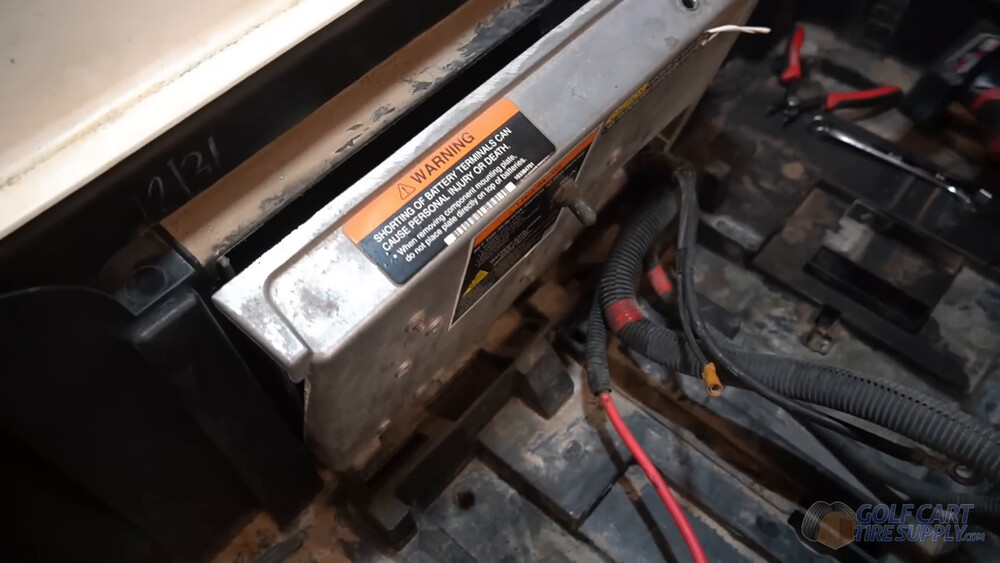
On your Precedent, your on-board computer hides in this same area under the seat. Trace your main negative cable back from the battery pack and look for a small box it runs straight through.
Does your Precedent have one?
Short version, and please read this one twice: check the cart, not the year.
- 2008.5 through 2013. Assume you do have an OBC. These carts came with the PowerDrive charging setup and the computer that goes with it.
- 2015 and newer. Assume you don’t have OBC. Club Car’s ERIC charging system replaced the on-board computer with a smarter controller, and there’s nothing left to bypass.
- 2014, and anything built late in 2013. This is the coin flip. Club Car’s own press release puts ERIC on Precedents built after September 2013, dealer year charts put the switch at 2014.5, and the factory 2014 parts book lists both builds. Both came off the line. So like we said: go look under your seat!
Looking for it takes two minutes. Lift your seat and follow your main negative cable from the battery pack toward the controller. If it passes through a small box on the way, that’s your OBC. If it goes straight to the controller, you’re clear.
What you do about it
You bypass it. Once that bypass is in, your original Club Car charger will not charge the cart anymore. It needs a charger with its own microprocessor. That is a non-issue for you, because your lithium kit ships with its own charger and your old one was never going to work with lithium anyway.
What You’ll Need for Your Precedent Lithium Conversion
(See what comes in the box in our video at 0:30)
The heart of this job is a 48-volt lithium kit that fits the Precedent. Whatever brand you land on, make sure the box includes a way to bolt the battery down (brackets, in the kit we used, more on that in Step 8), a charger built for lithium, and a state-of-charge gauge.
For this install we used:
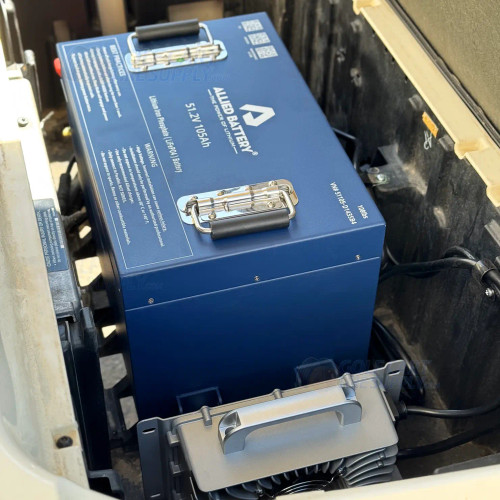
ALLIED 48V 105Ah BIG BOX Lithium Kit
Drop-in ready for a lead-acid Club Car Precedent. One pack, one charger, and the bolt-down brackets your Precedent’s bucket needs.
- 51.2V and 105Ah, good for about 30 to 45 miles per charge
- One 108 lb pack takes the place of all six lead-acid batteries
- Waterproof 15 amp lithium charger, state-of-charge meter and Bluetooth app in the box
- 10-year ALLIED warranty (first 3 years at no charge, years 4 through 10 prorated)
Price: $2,248.95 $2,799.99 (you save $551.04)
Not sure it’s the right size for your cart? Call us at 1-844-422-7884.
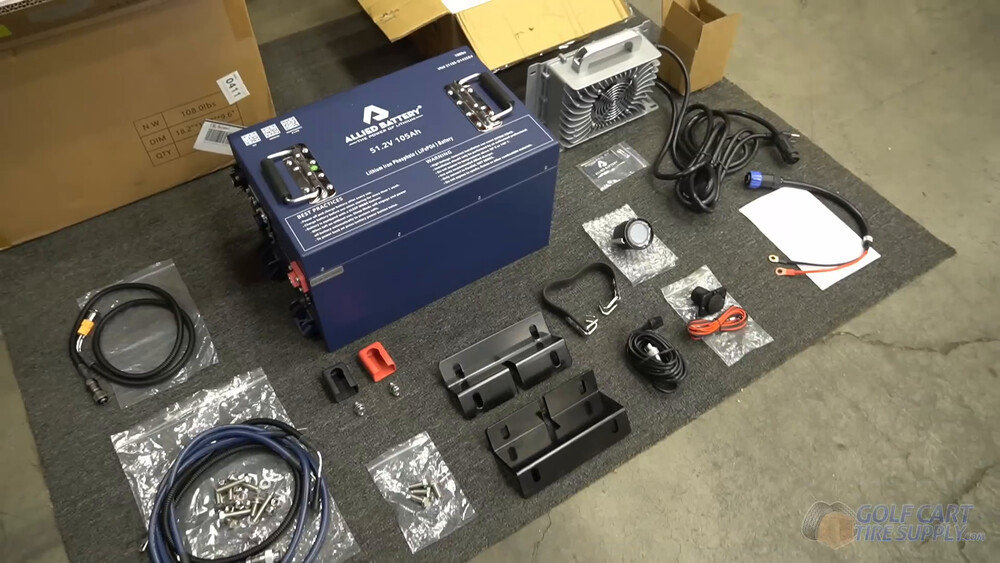
Here’s what came in our ALLIED box (most 48V 105Ah kits look a lot like this):
- 51.2V 105Ah lithium battery - one 108 lb pack that replaces all six of your old batteries
- Battery cables
- Mounting brackets that the battery’s feet bolt onto (your pack sits up on them instead of down in the bucket)
- On-board lithium charger - a 15 amp charger that mounts right in your battery bay and plugs into any wall outlet
- State-of-charge meter, the gas gauge for your new battery
- Battery strap for hauling the old lead-acid batteries out (nice touch, ALLIED)
- Hardware packet with nylon lock nuts, big washers, terminal covers, and the CAN and RS485 harness
There’s two add-ons worth thinking about before you check out.
- A 110V charge receptacle (about $85) that swaps into your factory charge port, so any extension cord plugs in right up front. We put one in on all of our conversions.
- A 48V to 12V voltage reducer if your Precedent runs 12-volt stuff like lights, a horn, or USB ports. The full install is in its own section at the bottom of this guide.
We carry Precedent-ready lithium kits from other brands too (ECO Battery, BOLT, MODZ, Trojan and Big Battery), and you can shop all of them in our Club Car Precedent Batteries section.
Tools You’ll Need
Nothing exotic. If you’ve got a basic socket set and a drill you’re most of the way there.
- A socket set and ratchet with a 1/2" socket and a 5/8" deep socket, plus a 1/2" fixed wrench (an impact driver helps if you have one)
- Torx bits: T40 for your rocker panels and kick panel, T30 for your seat base and center dash panel, and T15 for the top of the dash panel
- A Phillips screwdriver for the charge receptacle screws, and a plastic trim tool (or a flat screwdriver, gently) for the trim ring
- A drill with a 5/16" bit, a tape measure and a speed square for the battery brackets
- Four #10 self-tapping screws for mounting your charger
- 2-inch hole saw for your state-of-charge meter
- A buddy. Those old batteries are 60-plus pounds each and the new one is 108 (your ALLIED kit includes a battery strap)
- Wire strippers and a crimper if you’re adding a voltage reducer
- A shop vac, plus baking soda, water and a stiff brush for the acid mess you are probably about to find
- Your phone, for pictures. More on that in Step 2 and it is the best free tool in this list
Step-by-Step: Club Car Precedent Lithium Conversion
Time Required: An afternoon (plus a little extra if your cart needs the OBC bypass)
Difficulty Level: Moderate (the charge port and the kick panel are the fiddly parts)
Fifteen steps. Read the whole thing once before you start, then work it in order.
Step 1: Remove the Seat and Put Your Cart in TOW
(Watch this step in our video at 1:53)
Your Precedent’s seat comes straight up and off its hinges without much of a fight. Set it somewhere safe and grab a work light, because we’re about to make your battery bay real pretty!
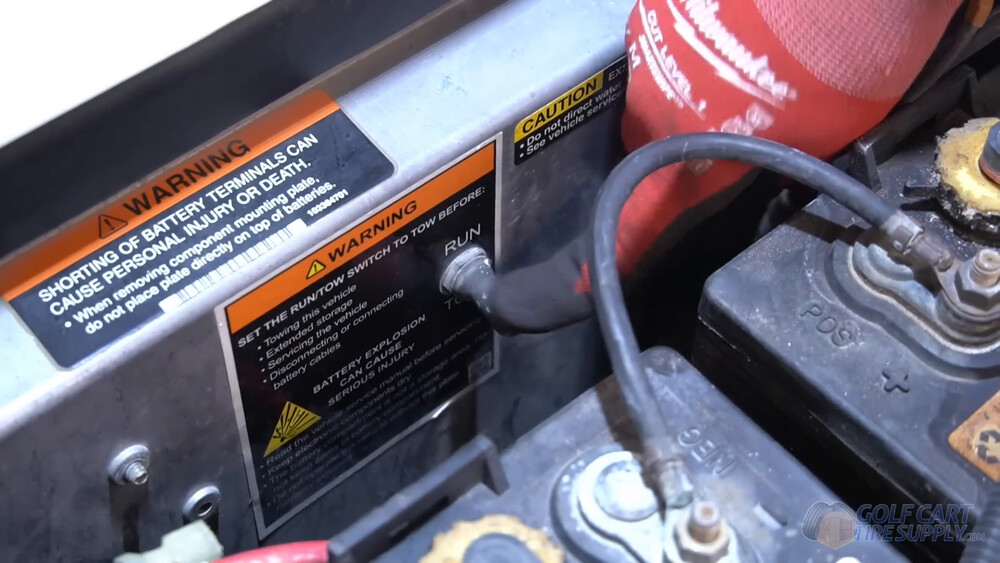
Your Run/Tow switch lives behind your batteries, under the seat. Flip it into TOW (Club Car’s own owner’s manual says to do this before you connect or disconnect any battery). That protects you from getting shocked while you work (trust us, it’s happened before). Then double check that the key on your dash is OFF too.
Step 2: Disconnect the Battery Cables
(Watch this step in our video at 2:31)
There’s a lot of cables down there (six batteries’ worth), but don’t worry... only two of them matter for your new lithium setup, your main positive and your main negative. Every other battery cable comes out with your old batteries and never goes back in.
Pro Tip: Before you pull a single nut, take a few pictures of your battery bay with your phone, and get in close on the stack of ring terminals on each main post. If you ever need to double check how something was hooked up, those pictures will save you.
Pull your main negative first, then work through the rest of the battery cables with a 1/2" socket. Put a strip of tape on your main positive and main negative (plus any accessory cables running to them) so they’re easy to find later. On a Precedent, your main positive runs back to the solenoid and your main negative runs back to the controller (through the on-board computer first, if your cart has one), both at the back of your battery bay. You’ll hook them up to your new battery in Step 14.
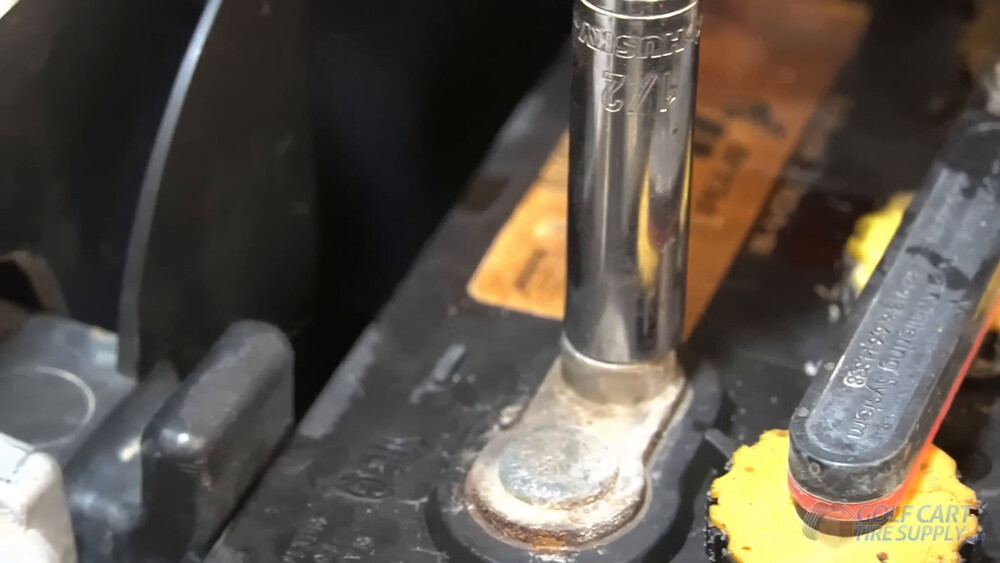
A lot of Precedents spent years on a golf course before they got to you, so expect some corrosion. If a nut doesn’t want to budge, hit it with a little penetrating oil and give it a minute instead of rounding it off.
See a smaller wire tapped off one of your batteries? That’s usually feeding your lights through a small reducer, so tape and label it too. It does not go back on your new battery, and the voltage reducer section at the bottom of this guide covers what replaces it.
If your Precedent came with Club Car’s optional single point watering system, you’ll see a skinny black hose-line running across the tops of your batteries. It pops right off, so pull it and toss that baby out! Lithium never needs water, and that’s one of the best parts of this whole upgrade.
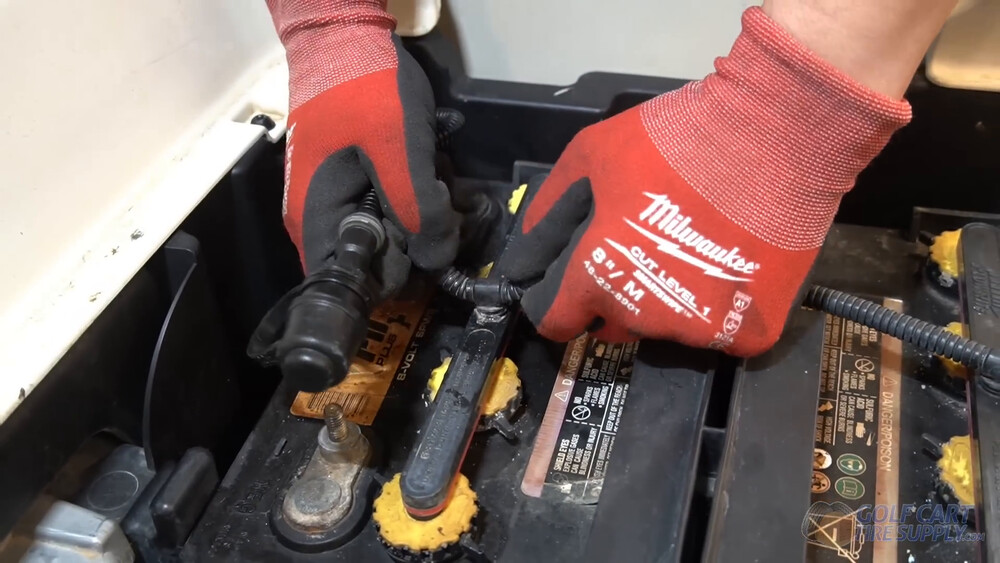
Step 3: Remove the Battery Hold-Downs
(Watch this step in our video at 3:53)
This one’s quick! There’s one hold-down bar on each side of your battery bank, each one clamping three batteries on threaded rods. Grab a 5/8" deep socket (that’s what ours took), back the nuts off and set the bars aside. Your new lithium battery bolts down a totally different way, so you won’t need these again.
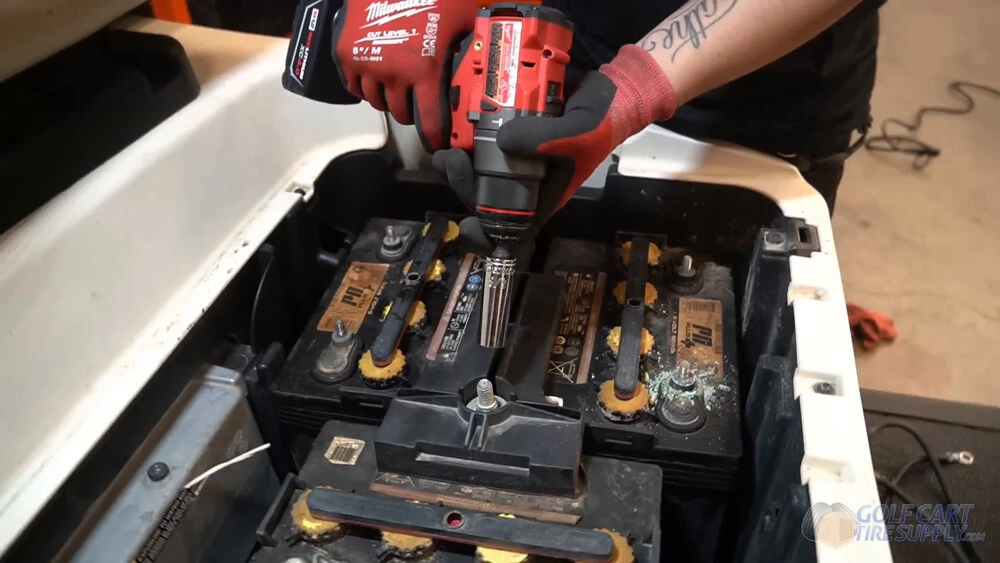
Step 4: Remove the Old Batteries
Time for your daily workout! Your ALLIED kit comes with a battery strap (nice touch), so hook it under the end tabs of each battery and lift them out one at a time. No strap? An old leather belt (or a heavy duty nylon one) through the end tabs will get the job done too (yes, we’ve done it).
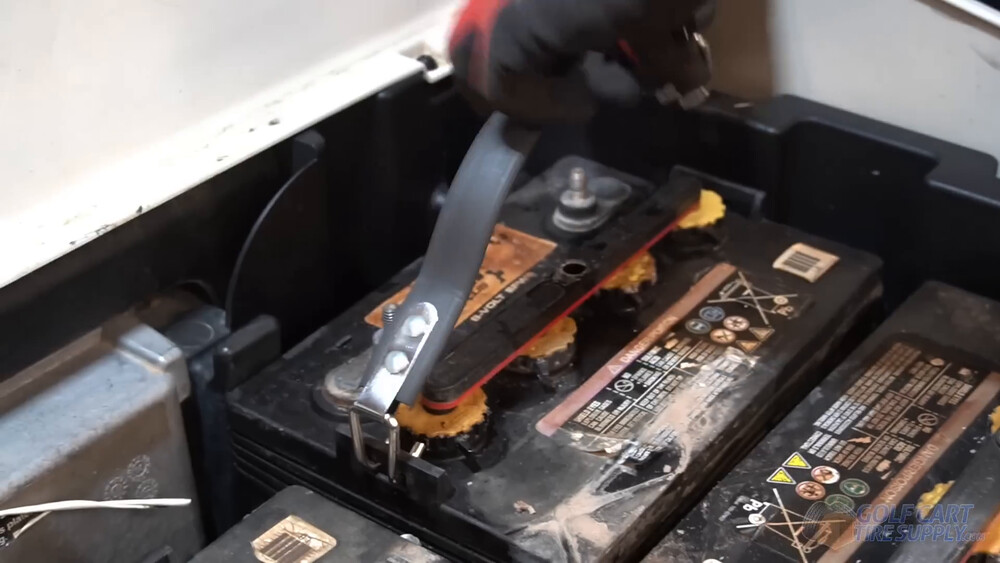
Safety Warning: Each of those batteries weighs 60 to 70 pounds, and you’re reaching down into a deep bucket to get them. Lift with your legs and keep the battery close to your body. And grab a buddy to help if you can.
Once your bucket is empty, clean it up with a shop vac. Then go after any acid crust with baking soda, water and a stiff brush, rinse it and let it dry. While you’re down there, check the bottom of the bucket for soft spots or cracks, and look for green fuzz inside your cable ends. If your cables look tired, now is the only easy time you will ever have to replace them.
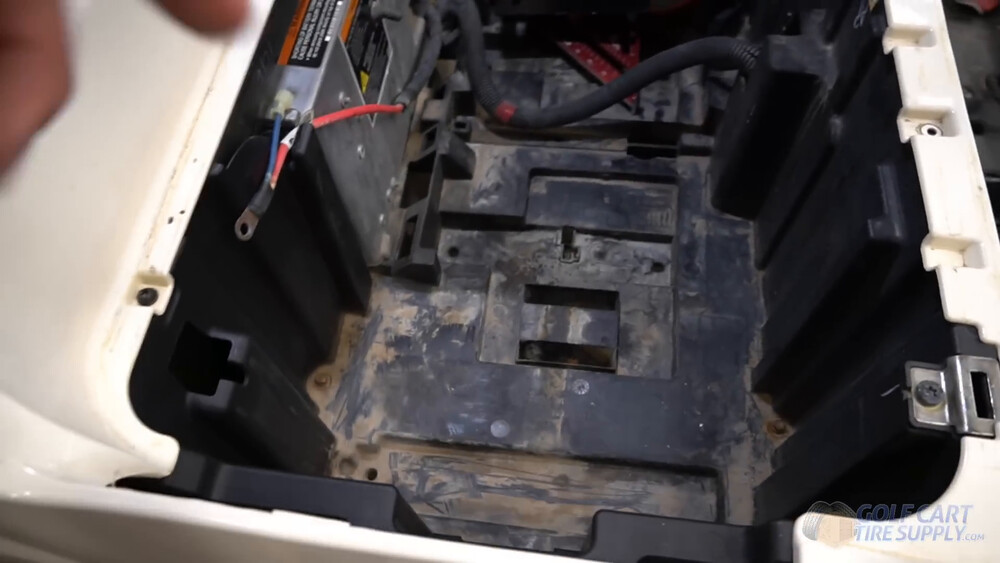
The floor of your Precedent’s battery bucket is not flat. There’s a raised ridge down the middle and a few bumps, which is exactly why your kit ships with bolt-down brackets. You’ll set those in Step 8.
And don’t throw your old batteries in the trash - drop them off at a battery recycler instead (and get a few bucks for the cores too)!
Step 5: Bypass the On-Board Computer (If Your Precedent Has One)
If you found an OBC back in the section above, this is where it comes out of the picture. With your old batteries out and your cart in TOW, install your bypass kit per the instructions that come with it, which walk you through the connectors on the computer one at a time.
Two things to know before you start. First, the bypass also disables the battery warning light on your dash and the charge history the computer was keeping. That is expected, not a fault. Second, your old Club Car charger is finished, and that’s fine, because it could never have charged lithium anyway.
No OBC on your cart? Skip this step and go straight to Step 6.
Step 6: Remove the Factory Charge Receptacle
(We HIGHLY recommend you watch this step in our video at 8:18)
This is the first big one. And that’s because there are several things you need to disassemble before you can get to the charge port. Your Precedent’s factory charge receptacle is a round three-pin plug mounted to your battery bucket, and its wires run back into your battery bay. You’ll unhook those wires first, then pull the receptacle out through the kick panel.
Part A: Unhook the Charge Receptacle Wires
Only three wires come off the charge receptacle, but where they land depends on your cart. On a Precedent with no OBC (the ERIC carts), per Club Car here’s where each one goes. Snap a picture of each before you pull it.
- Red wire (10-gauge) runs through a small inline fuse and sits on a solenoid terminal. Take the nut off (a 1/2" wrench on ours) and slide the red wire off. Then put the nut and washer right back on and snug them down, because your solenoid still needs a good tight connection.
- Light blue wire is the easy one. It joins your main harness at a bullet connector, so just pull it apart.
- Black wire (10-gauge) sits on the controller’s B- terminal. Take the nut off and lift off only the receptacle’s black wire. If there’s another cable under it, that one stays put, so put the nut back on nice and snug.
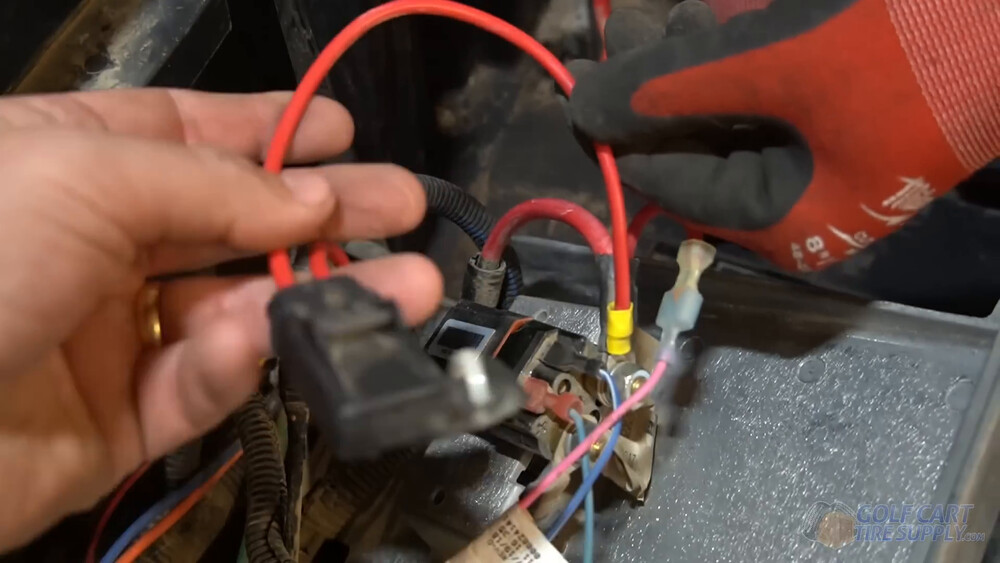
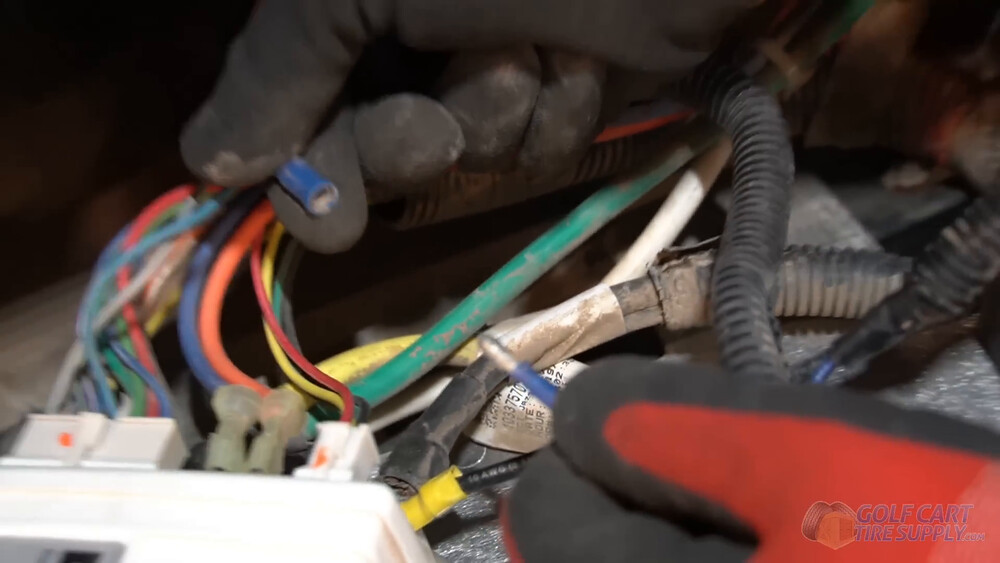
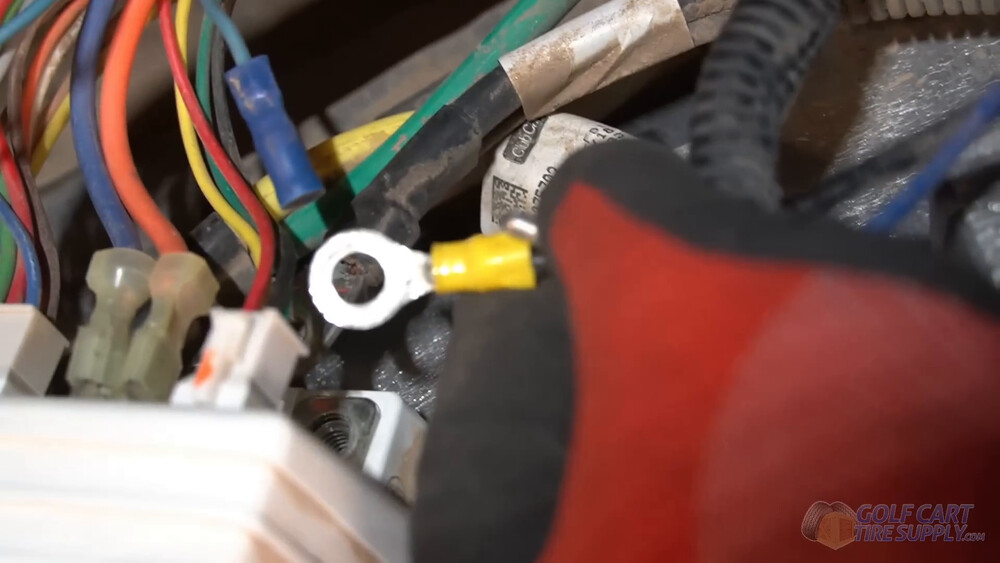
Got an OBC cart? Club Car wired yours a little differently. Your red wire sat on battery #1’s positive post, so it already came off back in Step 2. Your third wire is gray and runs to the on-board computer, and your black wire plugs into its own connector. If your bypass kit didn’t already have you unplug those two, unplug them now.
Leave every other wire back there right where it is, because the receptacle loom is the only thing coming out. That’s the scariest electrical part of this whole install, and it’s behind you now!
Heads up: That light blue wire is the charger interlock on the ERIC carts (on OBC carts, the computer handled that job). When the factory charger was plugged in, it told your cart not to drive. Once the old receptacle is gone, don’t count on your Precedent knowing it’s plugged in, so always unplug before you drive off.
Part B: Pull the Receptacle Out of the Kick Panel
Here’s the order we use to get to your receptacle.
- Take off the rocker panels on the driver and passenger sides (T40 Torx screws plus a few clips on each side).
- Pull your floor mat up and clip it to the pedals and dash so it stays out of your way.
- Back out the three T40 screws across the bottom edge of your kick panel.
- Take out the T30 screws on your seat base, so the body has enough give to let the kick panel out.
- Pop the plastic trim ring off the charge receptacle. Club Car makes a special tool for this, but a plastic trim tool works fine (so does a screwdriver, just go easy so you don’t crack it).
- Work the kick panel loose and slide it forward and out (this is a lot easier with two people).
- Back out the receptacle’s three Phillips screws and pull it out along with its cables.
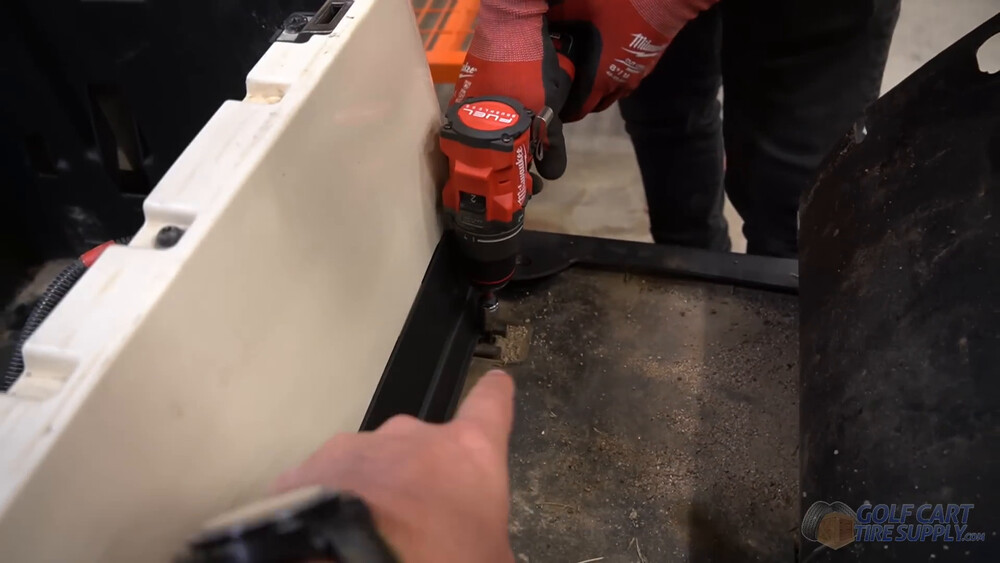
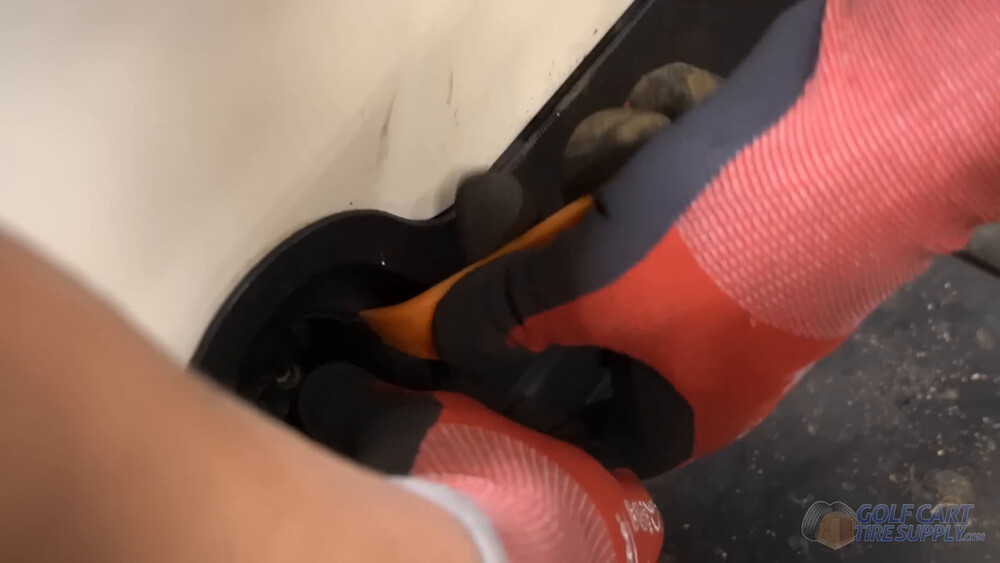
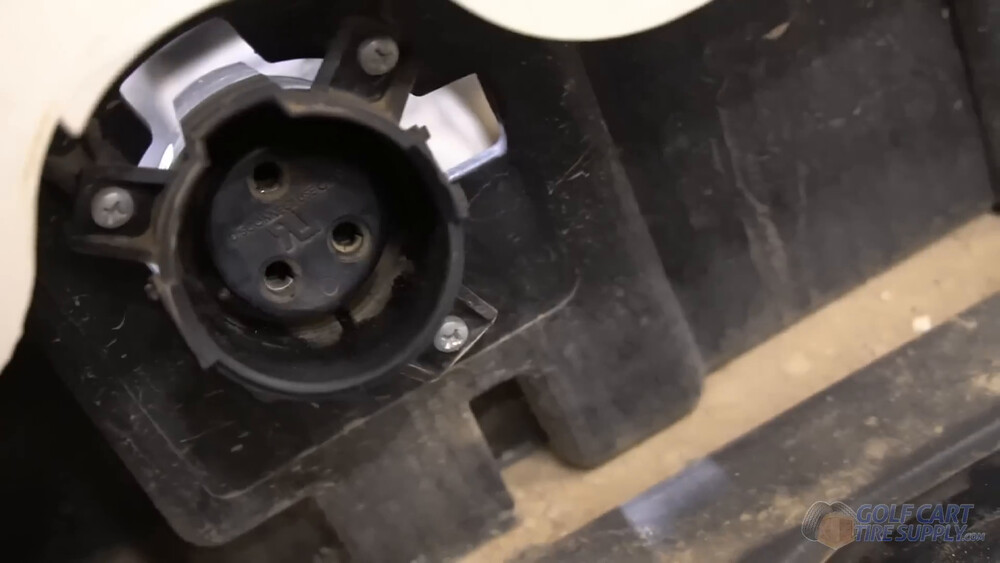
Your Precedent’s receptacle looks a lot like this one. Club Car used the round three-pin receptacle for the whole Precedent run, and that third pin is the extra wire your old charging system needed (on OBC carts it talked to the computer, and on newer carts it kept you from driving off while plugged in).
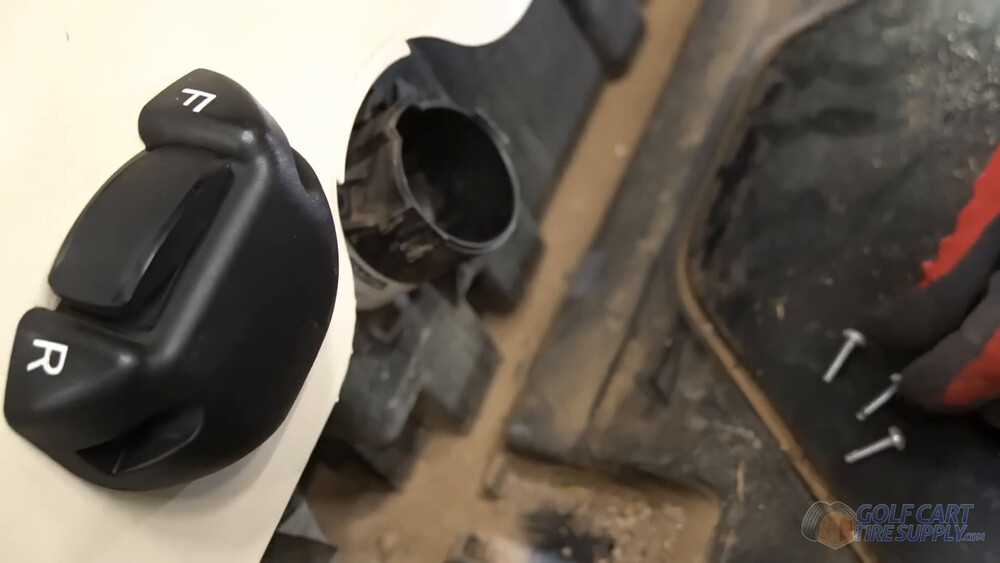
Hang on to those three screws and the trim ring. The old receptacle is done, but the screws and the ring go right back in with your new one.
Step 7: Install the New Charge Port
(Watch this step in our video at 18:26)
With the kick panel off, now’s a great time to vacuum out all that dirt (how often do you get this area open, right?). Then push your new 110V charge receptacle through the opening, line it up, and run the three screws you saved in from behind. Club Car’s spec on those screws is only 16 inch-pounds, so snug means snug.
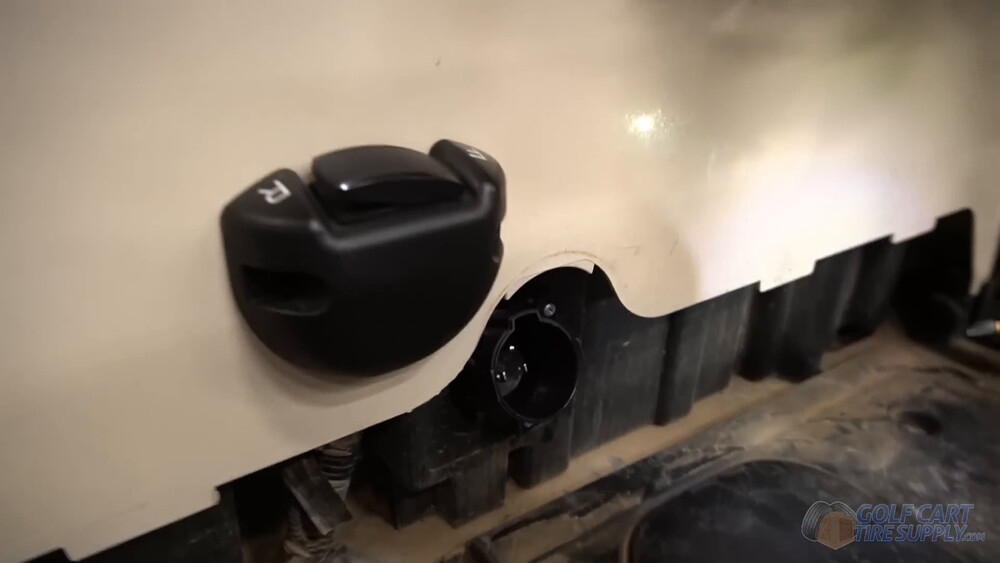
From now on, charging your Precedent means grabbing any extension cord in your garage and plugging it in right up front. And it looks super clean too. (You can buy your brand’s 110V receptacle for this, and some kits even include one for free! Or you can skip it, leave the charger’s plug cable in the battery bay and run an extension cord to it, but you have to lift the seat each time.)
Step 8: Install the Battery Support Brackets
(Watch this step in our video at 19:41)
Good news here. A 6 x 8-volt Precedent uses the same battery bucket as the Tempo, so this step is the same job you see in our video. That bucket has a raised ridge down the middle and a few bumps in the floor. Your kit’s brackets lift the battery up above all of it, and they are also what actually hold the battery to your cart. (Some other brands’ kits have you cut that raised plastic out of your bucket instead. With this kit you don’t need to.)
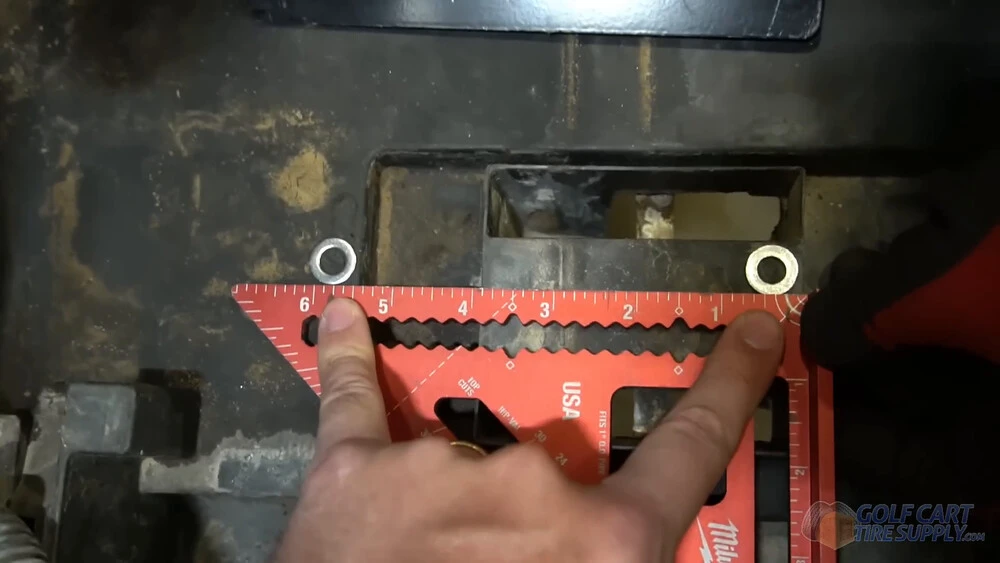
This part is easier than it sounds. Pick a flat, centered spot for your first bracket that still leaves room beside the battery for your charger. Measure how far apart the bolt holes are on the bracket and mark that spacing with a speed square, then slide your washers up against the edge so you know your holes will be square and in line. Look underneath before you drill, so you go through plastic and not into the frame or a wire. Then drill two pilot holes and open them up with a 5/16" bit.
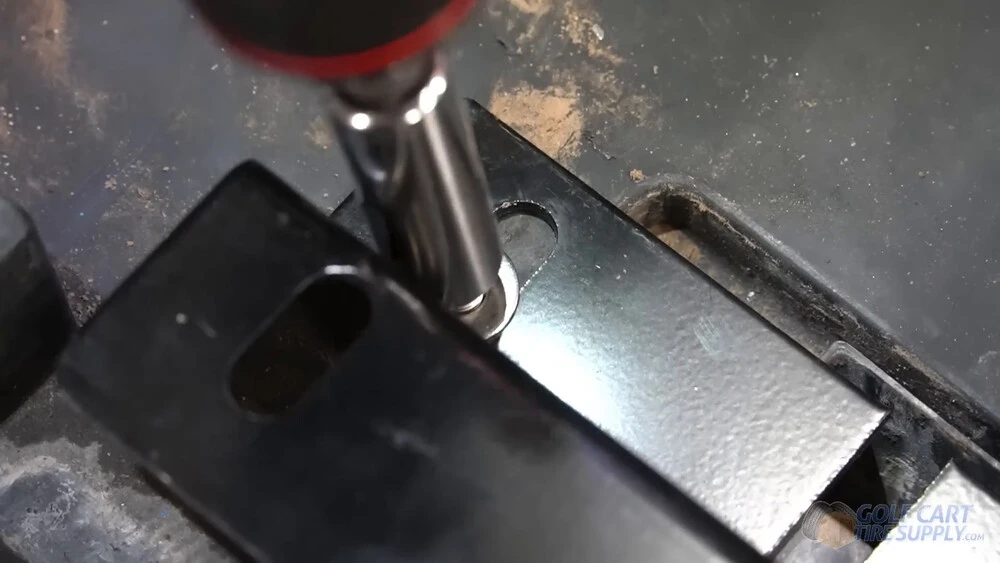
Push the 5/16" bolts down through the bracket with the big washers on top, reach under the bucket to start the nuts, and snug it all down with a 1/2" socket. For your second bracket, measure the length of the battery across the top, then add the extra distance out to the foot so your battery lands where you want it. Measure twice here. You can always drill another hole, but nobody wants extra holes in the bottom of their Precedent.
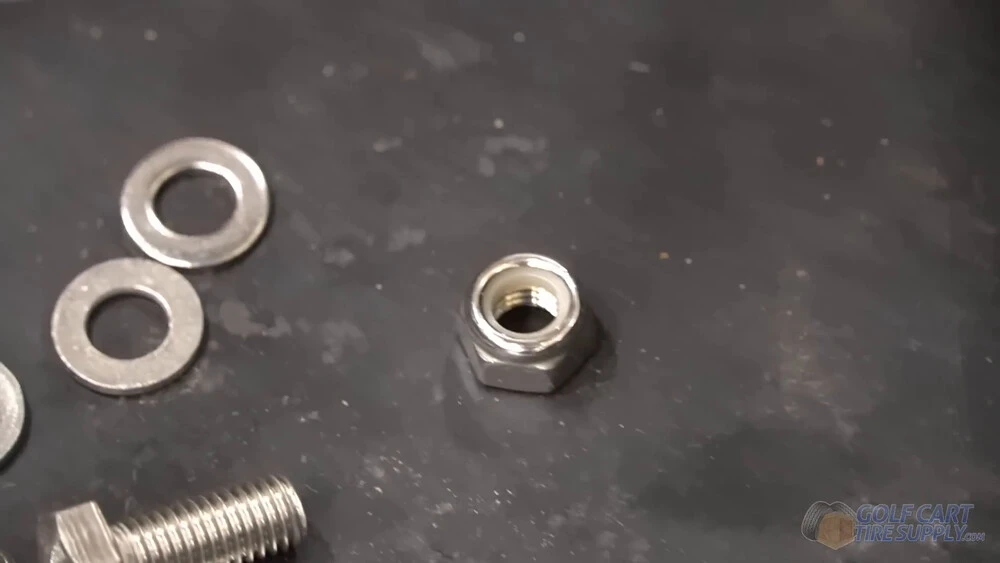
Could you get away with self-tappers instead? Probably, for as long as you own the cart. But ALLIED includes nylon locking nuts for a reason, that little nylon ring is what keeps a 108-pound battery from vibrating its hardware loose over years of bumps.
Step 9: Place Your Lithium Battery in the Cart and Secure It
(Watch this step in our video at 25:35)
Before your battery goes in, tuck the main wiring loom (the one running to the front of your cart) under the bracket and snake it through. That keeps it riding under the battery clean instead of getting pinched.
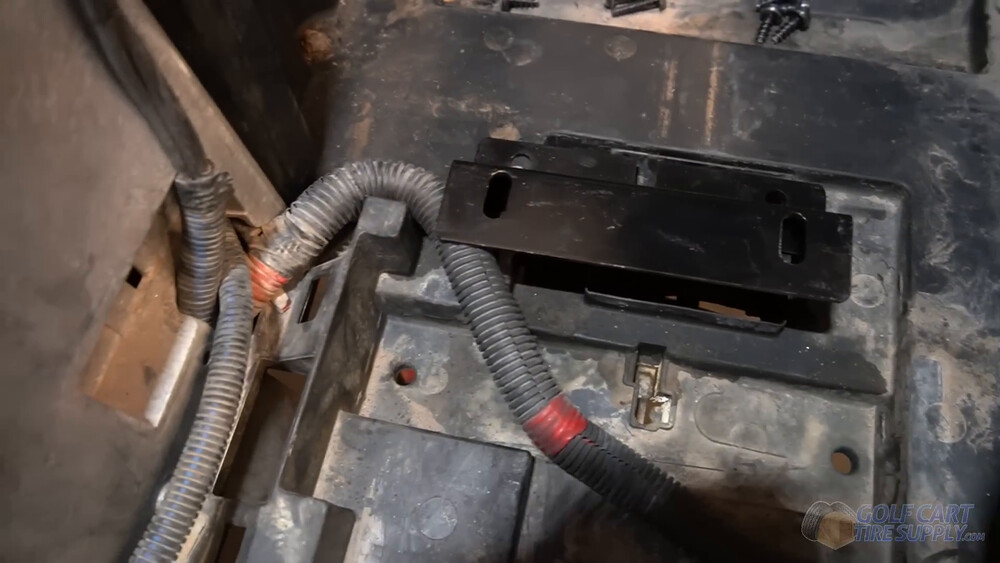
Now grab your helper and lower it in. At 108 pounds it’s a two-person job, but that’s a whole lot easier then lifting out six lead-acid batteries! Line the feet up over the bracket holes on both sides.
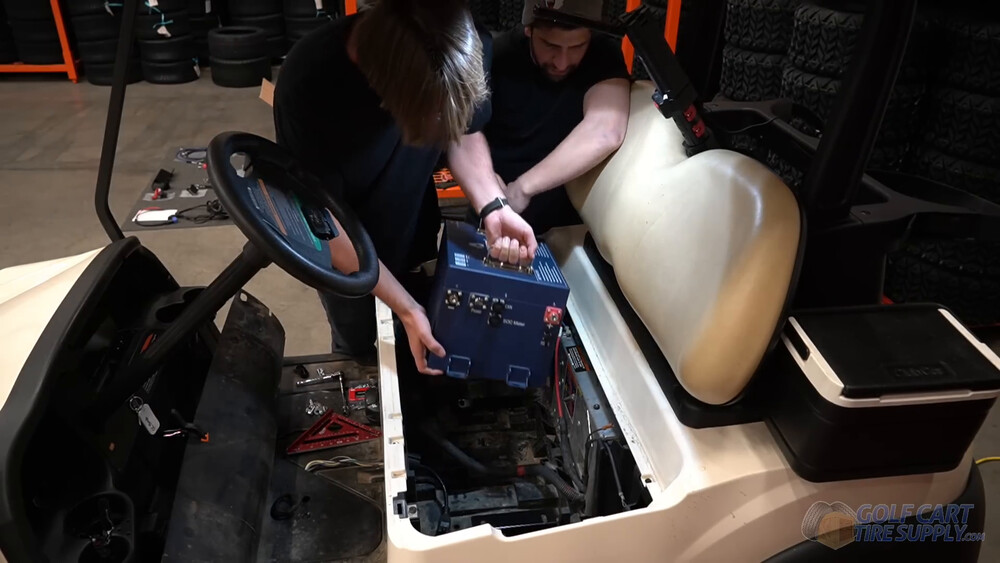
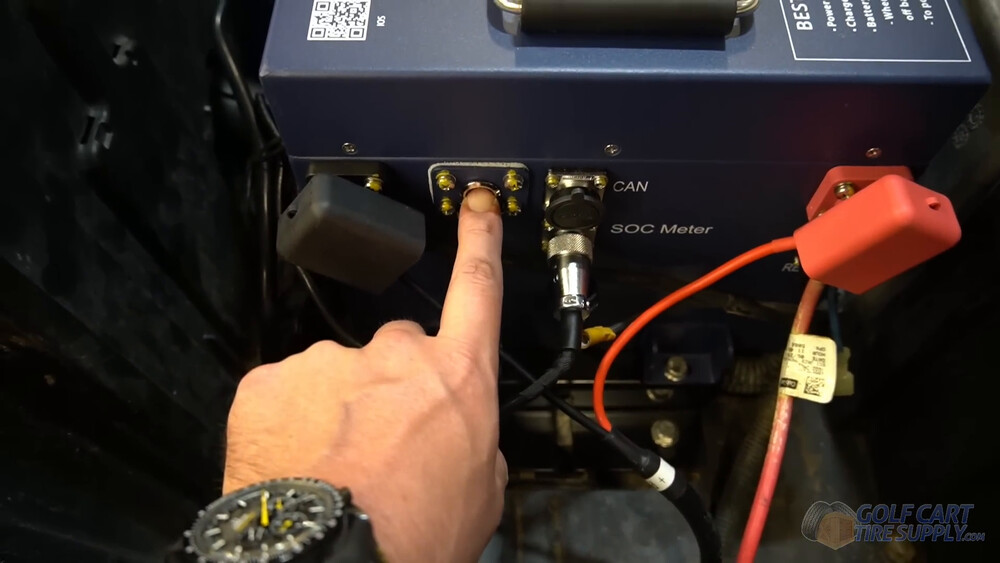
Watch your orientation. On our shop cart we pointed all of the important openings at the driver’s side, which is the CAN port, the SOC meter port, the power button and both terminals. Before you bolt anything down on your Precedent, make sure your main positive and main negative will both reach the terminals without stretching. If one comes up short, turn the battery so the terminals face that cable. (Running a different brand? Go with the orientation in your kit’s instructions.)
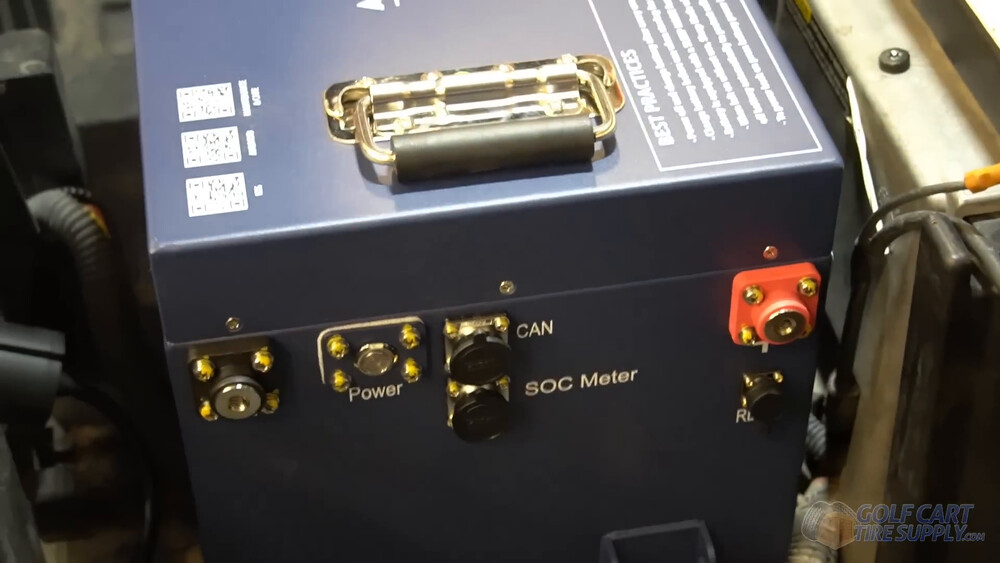
Then bolt the feet down to the brackets, socket on top and a fixed wrench holding the nut underneath, and get them good and tight.
Step 10: Install the On-Board Charger
(Watch this step in our video at 27:50)
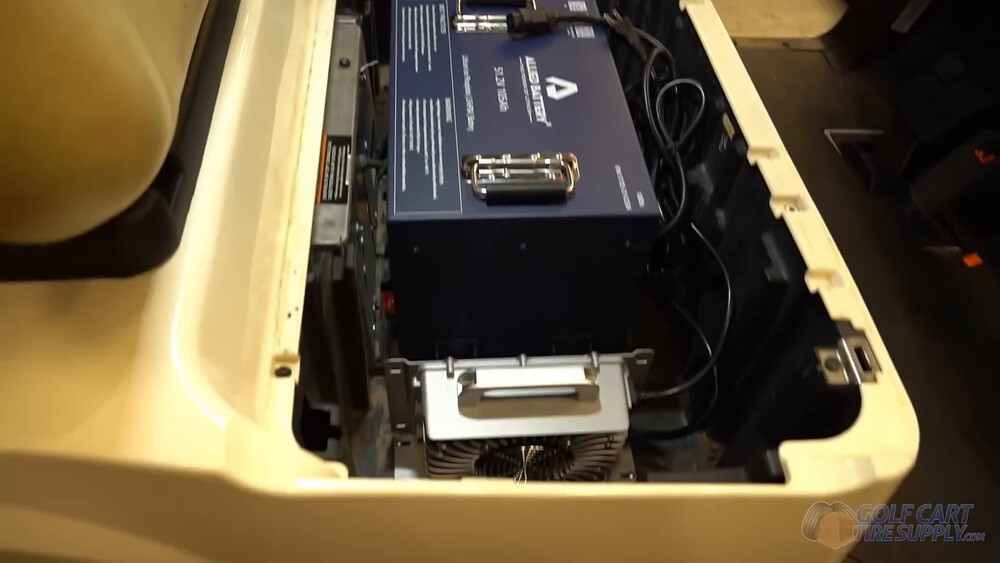
Your charger is easy to mount. Ours went on the flat plastic right beside the passenger side of your battery, and since it’s so light, it doesn’t need brackets. Four #10 self-tapping screws through its mounting tabs hold it just fine.
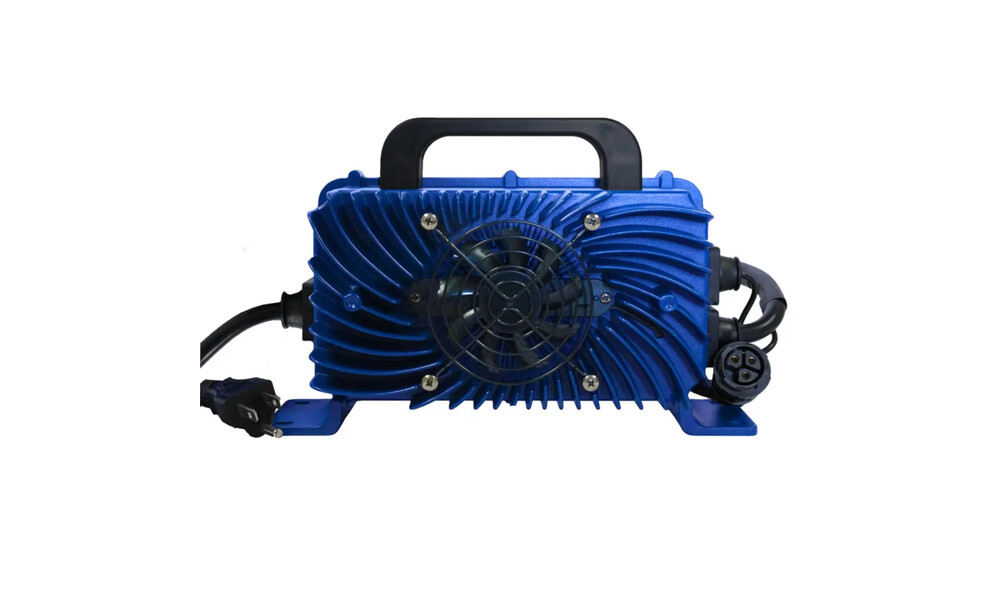
Run the charger cables through the little valley in your bucket to keep them tidy, then plug the charger’s male plug into the female end on the back of your new charge port.
Step 11: Place the Power Cable in the Battery Bucket
(Watch this step in our video at 29:05)
Your charger has two cables. One goes to your new charge port, and the other one is what actually feeds your battery. Screw that one together with the power cable that came in your kit (it’s the connector with the blue end), and now you’ve got a red positive lead and a black negative lead coming off your charger.
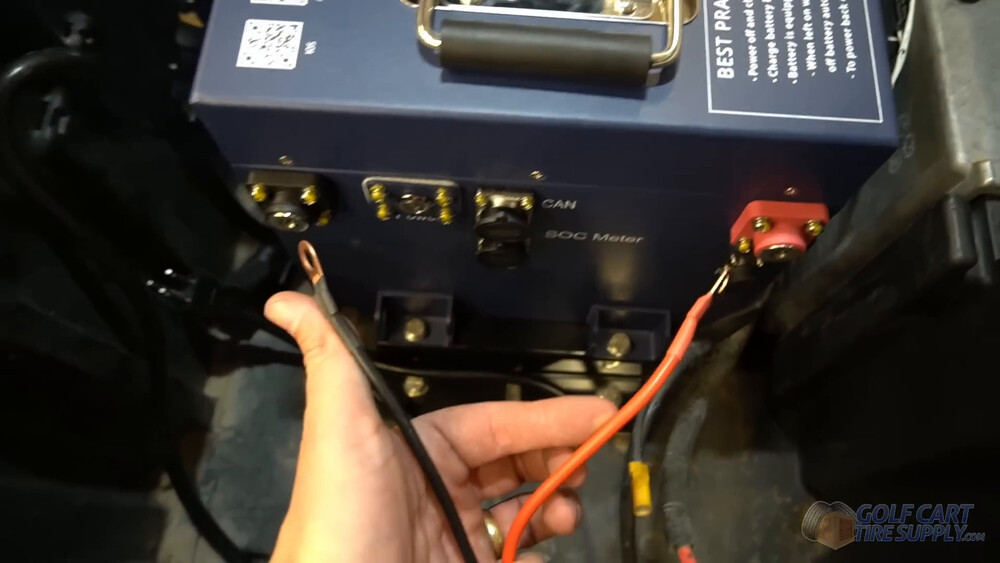
Lay those leads right alongside your main positive and main negative (reds with reds, blacks with blacks), and leave some slack at every connection in case you ever need to unplug something later. Don’t hook anything to the battery yet. That’s Step 14, once your cart is back together. P-clips and a couple of self-tappers will keep your wiring neat, but they’re totally optional.
Step 12: Install the State-of-Charge Meter
(Watch this step in our video at 30:24)
Last big piece! Most Precedents left the factory with a battery warning light on the dash, not a real fuel gauge, and that light was built around a lead-acid pack (on carts with an on-board computer, the bypass shuts it off anyway). Your new state-of-charge (SOC) meter is the real fuel gauge for your new battery, and it goes up on your dash where you’ll actually see it.
Find the long black SOC cable in your kit (it has a silver connector that looks like a microphone plug) and plug it into the SOC Meter port on your battery. We ran ours out through the kick panel area, down the channel under the floor mat, and up behind the dash. Pull your floor mat all the way out for this part and it gets a lot easier (plus you get one more shot with the shop vac).
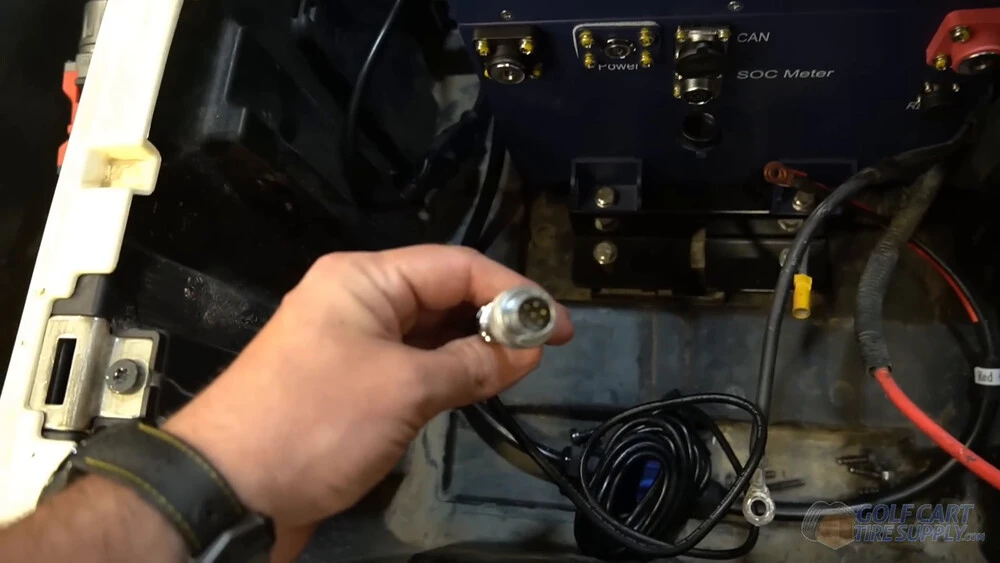
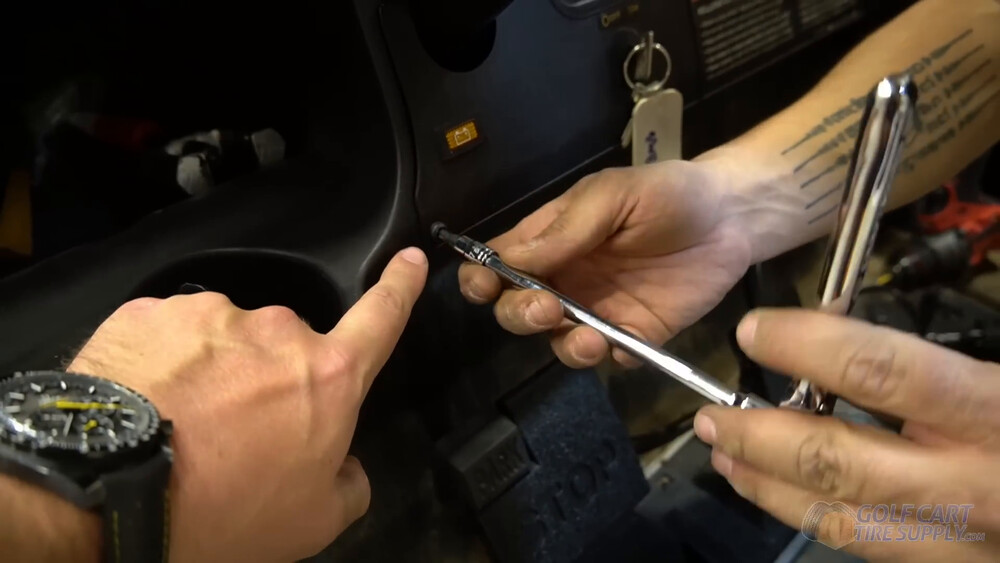
To get behind the dash, take off your center dash panel. It’s held on by two T30 Torx screws (one on each side) plus one small T15 screw on top in the middle. Once those are out, tip the panel up to free its tabs, and go slow there.
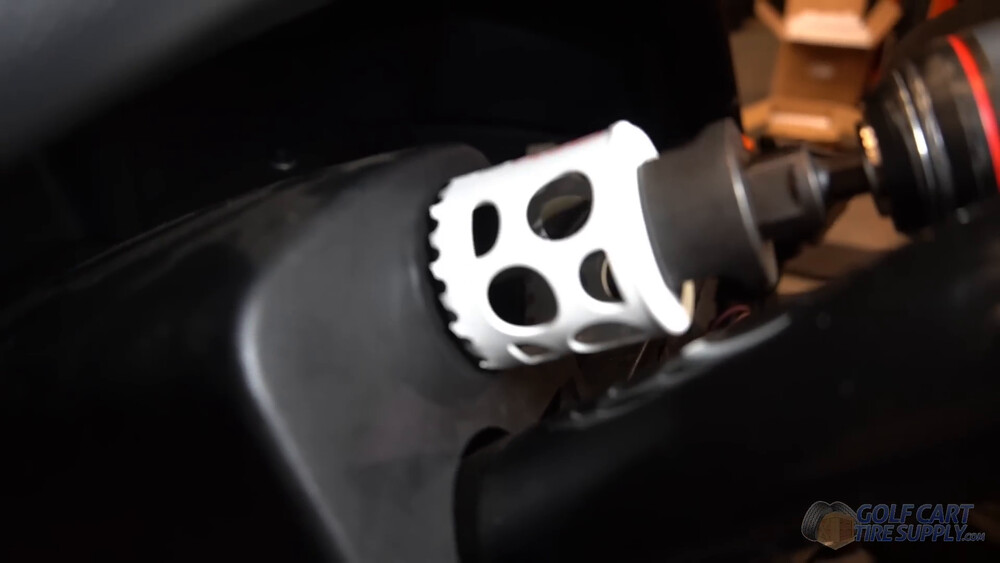
Before you drill, reach up behind the spot you picked and make sure there’s room back there for the meter and its bracket. Pick somewhere flat that’s easy to read from the driver’s seat, then cut your hole with a 2" hole saw and knock the sharp edge off when you’re done.
Push the SOC cable up through your new hole and plug it into the back of the meter. Drop the meter in, slide the bracket over the two little studs on the back, and run the nuts down.
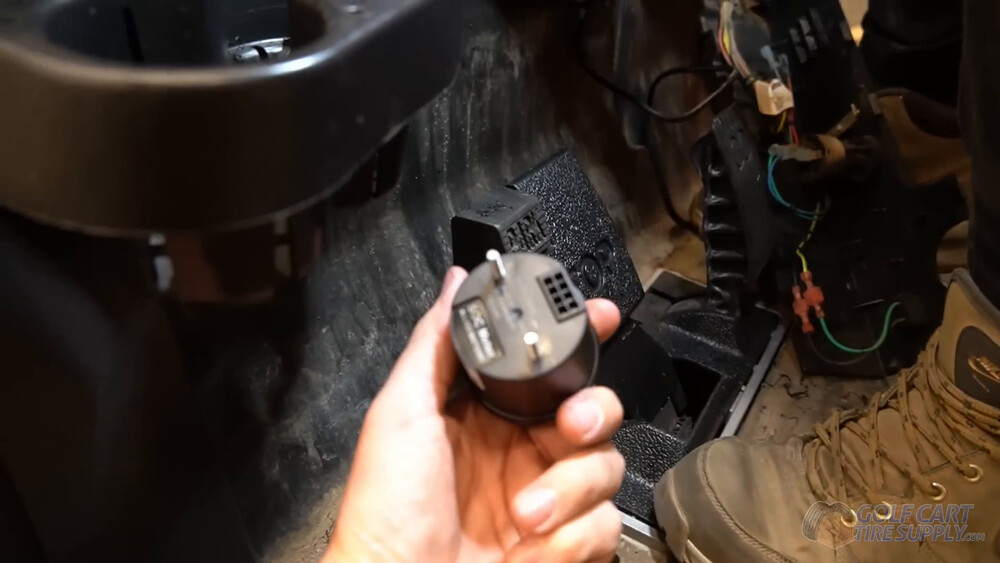
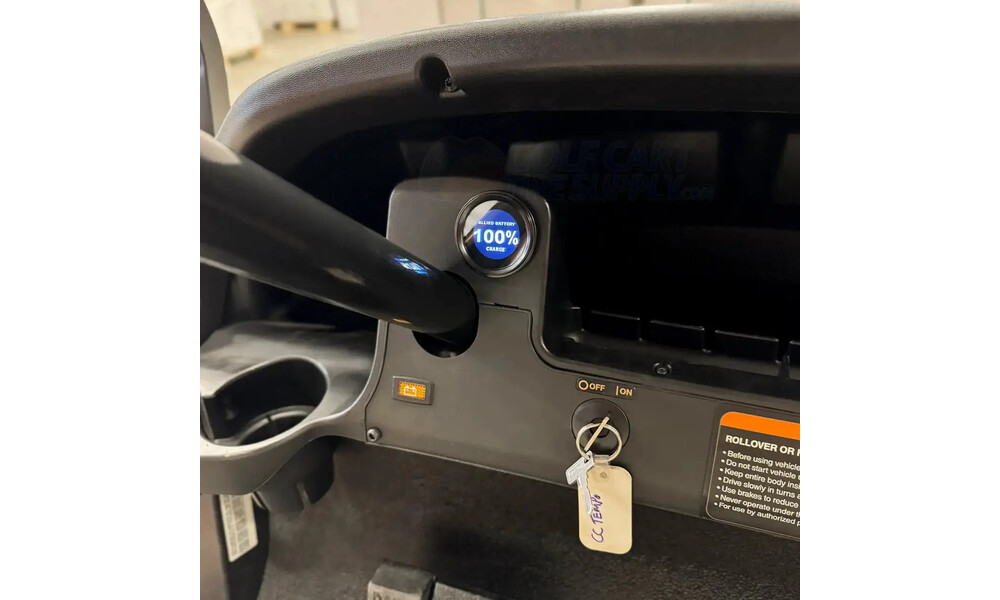
Don’t want a hole in your dash? Order a bracket and mount the meter on your steering column instead. Either way, tuck the extra wire up under the dash and put the panel back on.
Step 13: Put Your Cart Back Together
(Watch this step in our video at 35:17)
Now let’s put your cart back together. Start with your floor mat, tucking the front edge in first, but keep half of it folded back so you have room to get the kick panel back on.
Set the kick panel in place and run those three T40 screws back in across the bottom edge. Pop the trim ring back onto your new charge receptacle and lay your floor mat down flat. Then put your T30 seat base screws back in (don’t skip this one) and reinstall your rocker panels.
Step 14: Hook Up the Battery Cables
(Watch this step in our video at 37:58)
Almost done! Grab the terminal hardware out of your kit and stack your cables in this order.
- Negative terminal gets your main negative first, then the negative cable from your charger goes on top of it
- Positive terminal gets your main positive first, with the charging cable on top
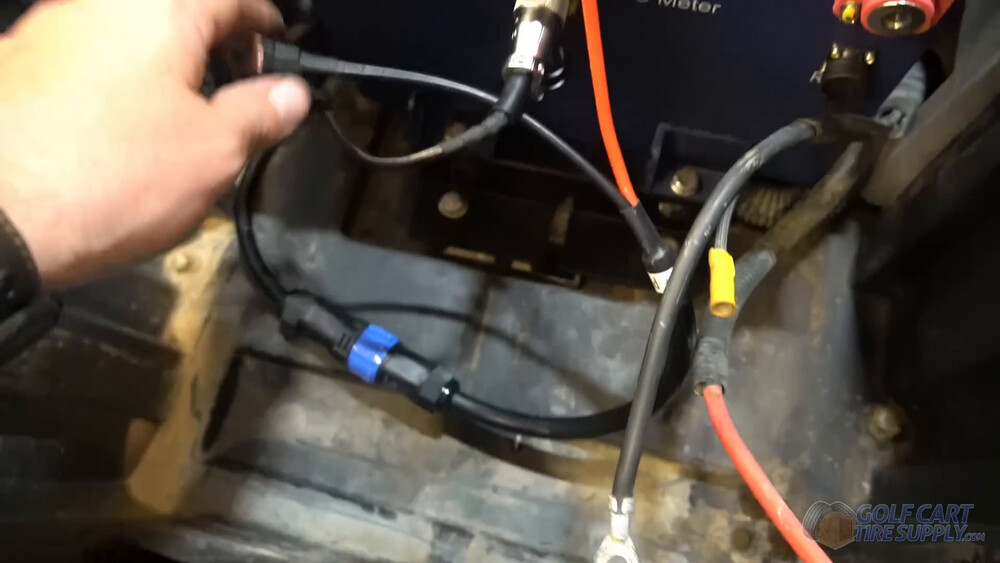
Run the hardware through both cables on each terminal and tighten it down. Then clip on the terminal covers that came in your kit, angled so they follow the direction of your cables.
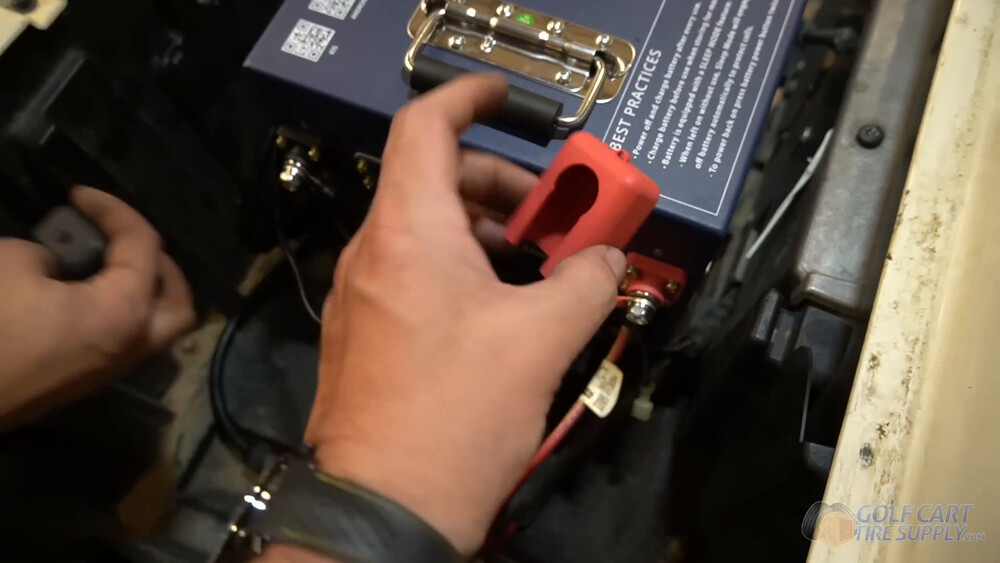
Anything else that was hooked to your old batteries (a light harness, an accessory lead) does not go on this battery. If it runs on 12 volts, it goes to a voltage reducer, and that’s the very next section.
Step 15: Power On the Battery System
(Watch this step in our video at 38:47)
Now for the fun part! Flip your Run/Tow switch back to RUN, then press and hold the power button on your battery until the light comes on. The SOC meter on your dash should wake up right along with it.
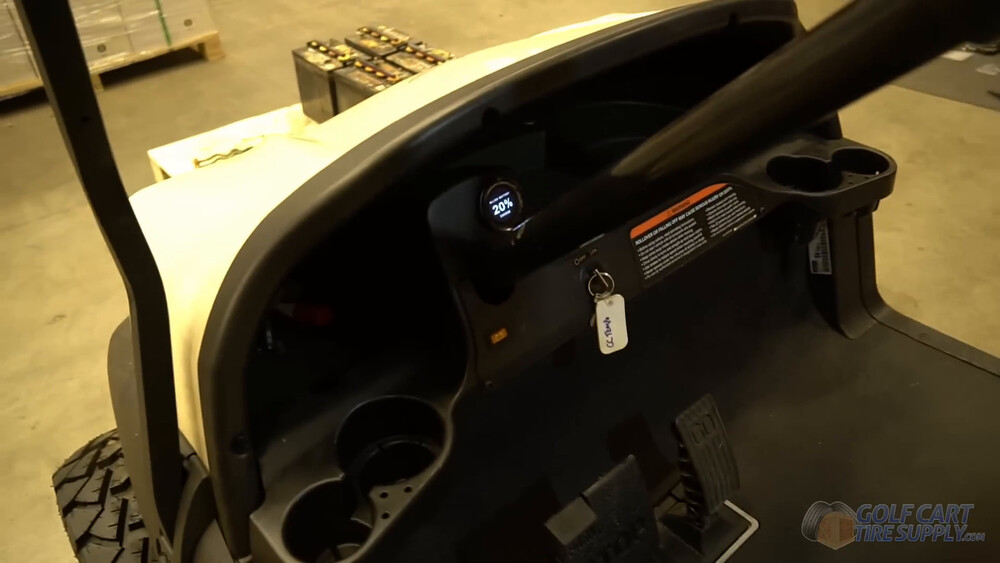
Don’t be surprised if it reads low, new lithium batteries usually show up at around 50% charge or less (no matter which brand you buy), so plug your Precedent in and charge it all the way up before your first real drive. While it charges, download the ALLIED app, pair it with your battery over Bluetooth, and register your battery with ALLIED (they want it registered within 60 days to lock in the full warranty). Then turn your key on, put it in forward, and take a short lap around the driveway. Listen for anything rattling and make sure nothing is pinched under the seat. Then go enjoy the ride!
All Done! Your Precedent Runs on Lithium Now
That’s it, start to finish. You pulled close to 400 pounds of lead out of your cart and swapped it for one 108-pound battery. You got a gauge that tells you exactly how much juice you have left at any time, a charger that fills you up in an afternoon instead of overnight, and a battery bay you never have to water again.

The first thing you’ll notice is not the range. It’s that the cart stops sagging. Hill number four feels like hill number one, and you will feel more torque and just enjoy driving you cart more than you ever have (we’re sure of it)! Next time a buddy complains that his Precedent is dying halfway through the back nine, you’ll know exactly where to send him.
Running Lights or a Radio? You Need a Voltage Reducer
How do I install a 48V to 12V voltage reducer on my Club Car Precedent after a lithium conversion?
This one catches more Precedent owners than any other part of the job, so do not skip it. If your cart has headlights, a horn, USB ports, a light bar or a sound system, all of that runs on 12 volts. Your new lithium setup is 48 volts with no 12-volt tap anywhere on it, so a 48V to 12V voltage reducer has to sit between your pack and your accessories. Wire 12-volt gear straight onto 48 volts and it is done, usually in a puff of smoke.
Here is why the Precedent specifically bites people. On a lot of these carts, the lights never ran off the full 48 volts. They ran off a tap across two of your 8-volt batteries, feeding a small reducer that only takes about 16 to 18 volts in. That tap disappears the second your six batteries come out, and that little reducer cannot take 48 volts. So your lights worked yesterday and they are dead today, and nothing on your new battery is broken. Do not reuse that old reducer, and do not buy another 16-18 volt one. You need one built for a 48-volt lithium battery.
For parts, the ALLIED 36V / 48V lithium reducer we sell is built for exactly this battery. It handles up to 30 amps, comes with ring terminals made for ALLIED batteries, and runs $67.95. You’ll also want wire strippers, a crimper and a few zip ties. Then work it in this order.
1. Find it a home. Somewhere dry in the bay, close enough that its leads reach your pack terminals. Two self-tappers will hold it.
2. Feed its input from the pack. Its positive lead goes on your battery’s positive terminal and its negative lead on the negative, stacked over the main cables you landed back in Step 14. Covers go back on after.
3. Connect the key-on wire, if your reducer has one. Some reducers only wake up when the key is turned, using one small signal lead that ties into the key-on circuit at the back of your key switch (right behind the dash panel you already had apart in Step 12). If yours doesn’t have that lead, it stays live any time your battery is switched on.
4. Wire the 12-volt side to your accessories. Reducer 12-volt positive to your accessory positive, and reducer 12-volt negative to your accessory ground, including the light harness ground that used to land on your old batteries. That ground is the one people miss most, and the lights stay dark until it’s moved. A 12-volt circuit also pulls four times the current a 48-volt one does for the same job, so do not reuse skinny wire on the output side.
5. Test before you close it up. Key on, lights on, horn, everything. Much easier with the seat still out.
Club Car Precedent Lithium Conversion FAQ
Do I have to bypass the on-board computer to put lithium in my Club Car Precedent?
If your Precedent has one, yes. Carts from 2008.5 through 2013 came with an on-board computer that meters charging and has the main pack negative running through it, and it will not play nice with a lithium charger. Carts from 2015 and newer use Club Car’s ERIC system, which replaced the computer, so there is nothing to bypass. 2014 carts went both ways off the factory line, so check yours instead of trusting the year.
How do I know if my Club Car Precedent has an on-board computer?
Lift your seat and follow your main negative cable from the battery pack toward the controller. If it passes through a small box before it gets there, that box is your on-board computer. If it runs straight to the controller, you do not have one.
Does my Precedent have four 12-volt or six 8-volt batteries?
The only way to know is to lift the seat and count. Later Precedents use six 8-volt batteries in a molded bucket, earlier ones use four 12-volt batteries, and Club Car’s own owner’s manual for the overlap years documents both layouts with different hold-down torque specs. This guide covers the six 8-volt carts.
Can I keep using my old Club Car charger after a lithium conversion?
No. Your factory charger was built to charge lead-acid, and it uses the third pin on the round charge plug to talk to your cart. Lithium needs a charger built for lithium, and your kit ships with one. ALLIED’s warranty also requires an ALLIED lithium charger, so let your old charger retire right along with your old batteries.
Will my Precedent still stop me from driving away while it’s plugged in?
Don’t count on it. Your factory drive lockout was tied to the old charge receptacle and charging system, and those come out in Steps 5 and 6. So make unplugging your extension cord part of your routine before you drive.
Do I need a voltage reducer after converting my Precedent to lithium?
You do if your cart runs anything on 12 volts, which means headlights, a horn, USB ports, a light bar or a stereo. The factory setup tapped a lower voltage partway down the lead-acid pack, and that tap disappears with your old batteries. A 48V to 12V reducer takes over the job.
Why did my lights stop working after the lithium conversion?
Usually one of two things. Either there is no voltage reducer wired in at all, because the old accessory tap came out with the lead-acid pack, or the reducer is mounted but the ground wire from your light harness never got moved over to the reducer’s 12-volt negative. Check the ground first, it takes two minutes.
How many amp hours do I need for a Club Car Precedent?
The 105Ah kit we used here is our most popular size, and it is good for about 30 to 45 miles per charge. If you run a lifted cart, big tires or a lot of hills, or you want a full day between charges, step up to a bigger pack. Our lithium battery calculator will size it for you.
How long does a Club Car Precedent lithium conversion take?
Plan on an afternoon. Getting the kick panel off to reach your charge port eats up the most time. If your cart needs an on-board computer bypass, add some time for that, and if this is your first conversion, give yourself the whole afternoon and don’t rush your brackets.
Will my factory battery light still work with lithium?
Not the way you want it to. Your Precedent’s dash light was built around a lead-acid pack, and on carts with an on-board computer the bypass shuts it off completely. Use the state-of-charge meter that comes in your kit, because it reads the battery directly and tells you exactly how much charge you have left.
Questions? We’ve got your back!
If you are staring at your battery bay and something does not match what you just read, call us at 1-844-422-7884 and we will walk through it with you. We do this all day. You can also browse our Club Car Precedent batteries or the rest of our Precedent parts while you are planning the job. And if you landed here with a Tempo instead, our Club Car Tempo lithium conversion guide is the one you want.